
Learn how to get a free cell phone through Lifeline: eligibility, documents, providers, and step-by-step application.
You will also learn how to compare Lifeline phone service providers so you pick coverage and plan value, not just a flashy promise.
Read also
- Lifeline eligibility: who qualifies and how to check fast
- Lifeline documents checklist: what to submit to get approved
- Lifeline providers for free phones: coverage, plans, and device expectations
Notice: This guide is independent and informational only.
We are not affiliated with, sponsored by, partnered with, or in control of the FCC, USAC, the National Verifier, or any provider or program mentioned.
Offers, coverage, and device availability can vary by state, provider inventory, and policy updates, so always confirm details through official channels before you apply.
What Lifeline is (and what “free phone” really means)
Lifeline is a federal benefit that helps eligible households lower the cost of phone and sometimes internet service.
That means the core benefit is usually a discount on the monthly service, not a guaranteed premium device.
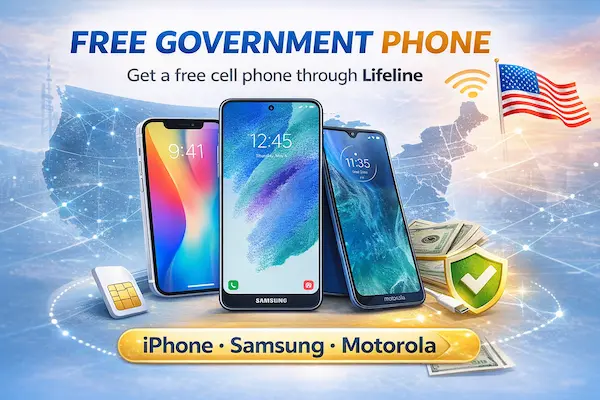
When people search “free phone Lifeline” or “free cell phone Lifeline,” they are often looking for a phone plus service in one simple bundle.
In reality, the phone you receive depends on the provider, state rules, and inventory, which is why “free government cell phones” can look different from one ZIP code to the next.
Some providers include a basic smartphone, some offer a SIM so you can bring your own device, and some rotate models based on stock.
You might also see the phrase “government phone companies,” but most of the time that is casual shorthand for private companies participating in government phone programs.
So think of Lifeline like this: you are applying for a benefit, and then you choose a participating company to deliver the service.
If you keep that expectation realistic, you will make better decisions about government phone service and avoid disappointment about phone models.
Who qualifies for Lifeline (quick eligibility overview)
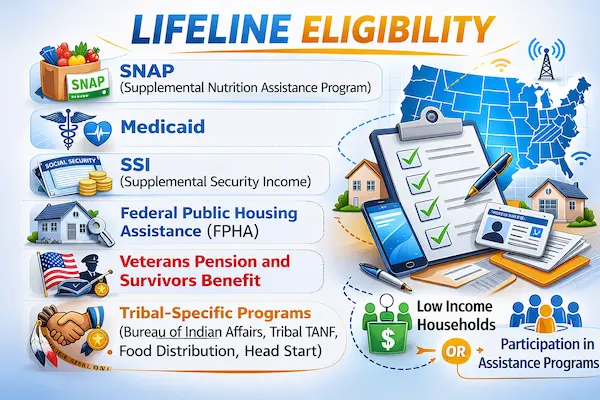
You generally qualify for Lifeline in one of two ways, and you only need to meet one of them.
You can qualify through income if your household income is at or below the program threshold, which is commonly based on a percentage of the Federal Poverty Guidelines.
You can also qualify through participation in certain assistance programs, which is why many people call it “food stamps cell phone service” when they mean eligibility through SNAP.
If you want the full breakdown with fast ways to check, use this companion guide on Lifeline eligibility.
One more rule matters a lot before you apply: Lifeline is typically limited to one benefit per household, not one per person.
If someone at your address already has Lifeline, you may need to prove you are a separate household, depending on your situation and the prompts you receive.
What you need to apply (documents checklist)
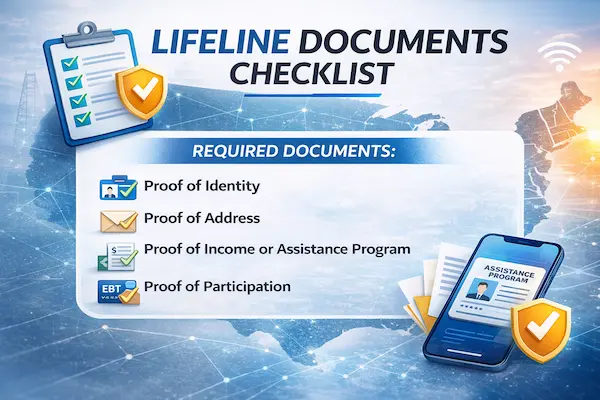
To get approved, the system needs to confirm who you are, where you live, and how you qualify.
If you are not verified automatically, you will be asked to upload or mail documents that prove those three things clearly.
For the complete checklist you can copy and follow, go to Lifeline documents checklist.
Documents you should prepare before you start
- Proof of identity and age: a government-issued ID showing your full legal name and date of birth.
- Proof of address: a document showing your name and physical residential address, like a utility bill or lease.
- Proof of eligibility: either program participation proof or income proof, depending on how you qualify.
If your documents are blurry, cropped, or missing dates, you can lose days or weeks to resubmissions.
If your name format differs across documents, you can trigger a mismatch even when you qualify.
So your goal is simple: submit fewer documents, but make them crystal clear and consistent.
Step-by-step: how to apply and get your free government phone
The fastest path is usually to verify eligibility first and enroll with a provider second.
That sequence is exactly what people mean when they say “use the National Verifier, then pick a carrier.”
You may also see people search “apply for government phone” when they really want a guided checklist that prevents mistakes.
Option A: Verify first, then enroll
- Start with the official Lifeline eligibility check pathway for your state, often through the National Verifier process.
- Enter your legal name, date of birth, and requested identifier details, and choose whether you qualify by program or income.
- If requested, upload your documents immediately, because online uploads are often faster than mailing.
- Save your approval details and any application reference information you receive.
- Choose a provider in your area and enroll using the information the system provides.
- Activate your line and test calling, texting, and data in the places you actually spend time.
Option B: Enroll through a provider that routes you correctly
Some people begin directly with a provider, especially when they already know which network works best where they live.
This route can still be fast, but you should ensure you are using the provider’s official enrollment steps and not a copycat page.
Either way, you are enrolling in the Lifeline phone program, so eligibility must be confirmed before service can be activated.
If you want help comparing providers and what they typically offer, use Lifeline providers for free phones.
How to choose a provider (coverage, data, phone models, fees)
The best provider is the one that works where you live, not the one that makes the biggest promise.
So you want to compare four things: coverage, data, device expectations, and fees or restrictions.
1) Coverage comes first
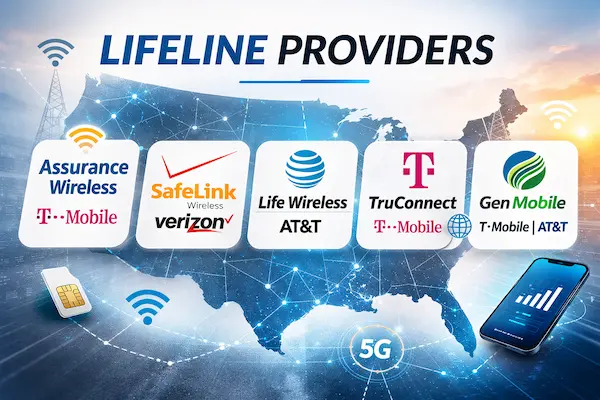
Coverage is why searches like “Verizon Wireless Lifeline” and “Lifeline Discount Verizon” are so common.
People want a Lifeline plan that runs on a network that works in their neighborhood.
You might also see “Verizon Wireless free government phone” as a shortcut phrase for “I want Lifeline service with Verizon coverage.”
In the same spirit, you will see searches for “Free Lifeline Wireless” that actually mean “reliable Lifeline coverage with minimal surprises.”
2) Data and plan value matter more than hype
Many frustrations come from choosing a plan with too little data for how you live.
If you depend on maps, school portals, or job applications, prioritize a plan that supports your real usage needs.
This is where terms like subsidized phone plans, phone service for low income, and low income wireless phone service show up in research.
They are all pointing to the same goal: stable service you can afford and rely on.
3) Device expectations should be realistic
Some providers advertise “free phone,” but that does not automatically mean a new flagship device.
If you are seeing ads for a “free iPhone government phone” or “iPhone government phone,” you should pause and verify the details carefully.
In many cases, “iPhone” language online is marketing, outdated promotions, or outright scam bait.
When “free 5G government phones” appears, treat it as a possibility that depends on inventory, not a guarantee.
If you want a higher-quality device experience, the smartest move is often BYOD, meaning you bring your own phone and use the Lifeline service discount.
4) Fees, policies, and customer support make or break your experience
Even when the monthly service cost is reduced, providers can have rules that affect you day to day.
Look for policies around SIM replacement, device replacement, activation steps, and support response time.
These details matter just as much as the promise of a government assistance phone.
Provider keyword reality check you will see online
You will often see brand-focused searches like “Assurance Wireless Phones” and “Assurance Wireless free phone.”
People also search “Free phone from Assurance Wireless,” “Assurance Wireless free cell phone,” and “Assurance Wireless Lifeline program” because it is a common Lifeline brand in many places.
Similarly, you may see “Lifeline program Assurance Wireless” as a way of asking if the provider is available and what devices are currently offered.
On the other side, you may see “Q Link Wireless free phone” as another brand-specific search when people compare Lifeline phone service providers.
Use those searches as a starting point, but verify availability and offers for your state directly through official steps.
Timeline, common problems, and fixes
Some approvals are fast, and some take longer, depending on whether your information matches databases automatically.
If you are asked to upload documents, your timeline usually depends on document clarity and how quickly you respond to requests.
Common problem: document rejection
If your proof is rejected, it is usually because it is unreadable, incomplete, missing a date, or does not match your application details.
The fix is to upload a clearer copy that shows the full page and all key details in one frame.
Common problem: address mismatch or household duplication
If the system flags your address, it may be because someone at that location already receives Lifeline.
The fix is to follow the prompts you receive, and provide the Household Worksheet only if requested.
Common problem: recertification and keeping your benefit
Lifeline typically requires ongoing eligibility, which can include periodic checks or recertification steps.
The fix is to watch for notices, keep your contact information current, and respond quickly if you receive a verification request.
Common problem: confusing Lifeline with other offers
You may see phrases like “Metro free line for life” or other promotions that are not Lifeline at all.
The fix is to separate provider marketing from the Lifeline benefit, and confirm whether a deal is truly a Lifeline-supported offer.
You may also see searches for “Federal Lifeline program internet” and “low income phone and internet,” because many households are trying to solve both needs together.
The fix is to confirm what Lifeline supports in your area and what the provider specifically offers for phone versus internet service.
Safety & scam checklist (avoid fake free government phone offers)
If you remember one thing from this guide, let it be this: scammers know exactly what you want, and they use that desire against you.
The most common bait is a too-good-to-be-true “free government iPhone” or “free iPhone service for low income” headline that pushes you to enter sensitive data.
Another common bait is vague wording like “government phones government phones” that feels official but says nothing verifiable.
Never do these things
- Never pay a stranger a “processing fee” to get a free government phone service.
- Never share your full Social Security Number, bank logins, or one-time passcodes with an unofficial contact.
- Never trust a link just because it ranks high or looks polished, because ads and clones can look legitimate.
- Never mail original documents, because originals can be lost and create bigger identity risks.
Green flags that usually mean you are in the right place
- You are directed through official Lifeline application steps for eligibility verification.
- The process clearly explains how your data is used and why documents may be required.
- You can identify the provider as a real participant and confirm it is available in your state.
If you follow those safety rules, you will avoid the majority of scams aimed at people searching for a government cell phone or low income cell phone service.
That is how you stay protected while still getting the benefit you deserve.
Read next
If you want to go deeper and move faster, use these guides as your next clicks.
- Lifeline eligibility: who qualifies and how to check fast
- Lifeline documents checklist: what to submit to get approved
- Lifeline providers for free phones: coverage, plans, and device expectations
If you take one action today, make it this: confirm eligibility, prepare clean documents, and choose coverage-first.
That is the simplest way to turn “I’m searching” into “I’m connected,” without falling for shortcuts that cost you time and risk.
